
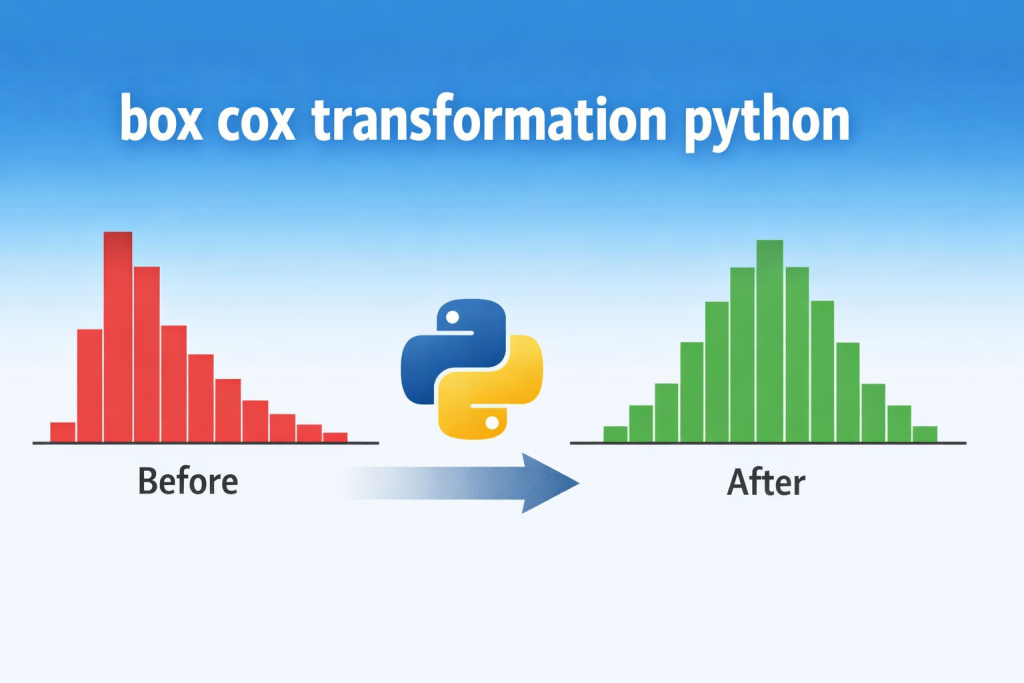
If you are working with data, you may have heard about box cox transformation python but felt unsure about what it really means or how to use it. Don’t worry, you’re not alone. Many beginners struggle with messy data that is not evenly spread. This is where Box-Cox transformation becomes useful.
In simple words, Box-Cox transformation helps make your data more balanced and easier to work with. When data is not balanced, it can cause problems in analysis and machine learning models. These models often perform better when data follows a normal pattern.
In this guide, you will learn everything step by step. We will keep things simple and practical so you can apply it right away.
What Is Box-Cox Transformation?
Box-Cox transformation is a method used to change the shape of your data. It helps turn skewed data into something closer to a normal distribution.
Now, what is skewed data?
Imagine you have a list of incomes. Most people earn a small amount, but a few people earn a lot. This creates a long tail on one side. That is called skewness.
Box-Cox transformation reduces this skewness. It reshapes the data so it becomes more evenly distributed.
The best part is that you don’t have to guess how to transform the data. Python can automatically find the best way to do it.
Why Use Box-Cox Transformation in Python?
There are many reasons why this method is useful, especially in Python.
First, it improves data quality. When your data is balanced, it becomes easier to understand and analyze.
Second, it helps machine learning models perform better. Many models like linear regression and logistic regression work best with normally distributed data.
Third, it reduces the impact of extreme values. Outliers can distort results, but Box-Cox helps control them.
Finally, Python makes everything simple. With libraries like SciPy, you can apply Box-Cox transformation in just a few lines of code.
When Should You Apply Box-Cox Transformation?
You should use Box-Cox transformation when your data is not normally distributed.
Here are some signs:
- Your data is heavily skewed (left or right)
- Your histogram looks uneven or stretched
- Your model is not performing well
- You see large differences between values
For example, data like income, house prices, or sales numbers often need transformation.
If your data already looks balanced, then you don’t need Box-Cox. It is not something you should use all the time. Only use it when needed.
Key Requirement: Data Must Be Positive
Before using Box-Cox, there is one important rule.
Your data must be positive. This means no zeros and no negative numbers.
Why?
Because the mathematical formula behind Box-Cox does not work with zero or negative values.
If your dataset contains such values, you can fix it easily. You just add a small constant value to the entire dataset.
For example, if your data has zeros, you can add 1 to every value. This shifts everything into the positive range.
Box-Cox Transformation Formula (Simple Explanation)
You don’t need to worry too much about the math, but it helps to understand the basic idea.
Box-Cox uses a value called lambda (λ). This value controls how the data is transformed.
- If λ = 1, the data stays the same
- If λ = 0, it becomes a log transformation
- Other values reshape the data differently
The good thing is Python finds the best lambda for you automatically. So you don’t have to test different values manually.
How to Use Box-Cox Transformation in Python
Now let’s move to the practical part. This is where you actually apply the transformation.
First, you need to install the required libraries. You can install them using pip if you haven’t already.
You will mainly use SciPy, NumPy, and Matplotlib.
Next, import the libraries into your Python file. This step prepares your environment for data processing.
After that, you can create or load your dataset. For beginners, it is easier to start with a simple dataset.
For example, you can create a list of numbers that are clearly skewed.
Once your data is ready, check its distribution. You can use a histogram to see how your data is spread.
If the data is skewed, then apply the Box-Cox transformation using SciPy’s boxcox function.
This function returns two things:
- The transformed data
- The lambda value used
After applying the transformation, your data will look more balanced.
Visual Comparison: Before and After Transformation
It is always a good idea to visualize your data.
Before applying Box-Cox, your histogram may look stretched or uneven. After transformation, it should look more symmetric.
This visual change helps you understand how effective the transformation is.
You don’t need advanced tools for this. A simple histogram using Matplotlib is enough.
Seeing the difference clearly makes it easier to trust the process.
Handling Zero or Negative Values in Python
As mentioned earlier, Box-Cox only works with positive data.
If your dataset contains zero or negative values, you can fix it by adding a constant.
For example, if your smallest value is -5, you can add 6 to all values. This makes everything positive.
This is a simple but very important step. Skipping it can cause errors in your code.
Always check your data before applying the transformation.
Box-Cox vs Log Transformation
Many people get confused between Box-Cox and log transformation.
Log transformation is a simpler method. It uses a fixed formula and works well in many cases.
Box-Cox is more flexible. It tests different transformations and chooses the best one using lambda.
So, which one should you use?
If you want a quick solution, log transformation is fine. But if you want better accuracy, Box-Cox is a smarter choice.
It adapts to your data instead of forcing a fixed method.
Common Mistakes to Avoid
There are a few common mistakes beginners make.
One mistake is using Box-Cox on negative data. This will cause errors.
Another mistake is not checking the data distribution before applying the transformation. You should always know why you are using it.
Some people also overuse transformations. Not all data needs to be transformed.
Finally, many users ignore the meaning of the results. Always try to understand what the transformation is doing to your data.
Real-World Use Case
Let’s look at a simple real-world example.
Imagine you are building a model to predict house prices. The price data is usually skewed because a few houses are very expensive.
If you train a model on this raw data, it may not perform well.
But if you apply Box-Cox transformation, the data becomes more balanced. This helps the model learn better patterns.
As a result, your predictions become more accurate.
This is why data preprocessing is so important in machine learning.
Conclusion
Box-Cox transformation is a powerful tool that helps make your data more useful.
It improves data distribution, reduces skewness, and helps models perform better.
The best part is that Python makes it very easy to use. With just a few steps, you can transform your data and improve your results.
Always remember:
- Use it only when your data is skewed
- Make sure your data is positive
- Check results before and after transformation
If used correctly, Box-Cox can make a big difference in your data analysis workflow.
For more interesting and informational blogs visit our website chromiumfx.
Frequently-Asked Questions (FAQs)
What is Box-Cox transformation used for?
It is used to make data more normally distributed. This helps improve analysis and machine learning performance.
Can Box-Cox handle negative values?
No, it cannot. You must convert all values to positive before applying it.
Which Python library is used for Box-Cox transformation?
The most common library is SciPy. It provides a simple function called boxcox.
Is Box-Cox better than log transformation?
Box-Cox is more flexible because it finds the best transformation automatically. Log transformation is simpler but less adaptive.
When should I avoid using Box-Cox transformation?
You should avoid it when your data is already normally distributed or when interpretability is more important than transformation.